/app/discounts to the app’s address in your browser, for example admin.shopify.com/store/<your-store>/apps/<app>/app/discounts.
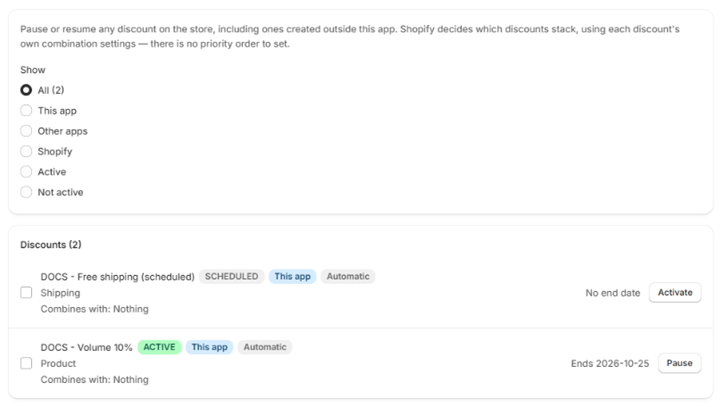
Filtering
Use Show to narrow the list:Pausing and resuming
Each row has Pause or Activate. To change several at once, tick their checkboxes and click Activate or Pause above the list; Clear removes the selection. A Bulk change banner reports what changed.Shopify has no bulk pause for automatic discounts, so they are changed one at a time. If a large selection hits the limit, the banner says how many were skipped: select the rest and repeat. Code discounts are queued and may take a moment to update in the list.